
When I saw, the video-endpoint/got access to it, I wanted to use it right away. This might not be accurate: I wanted to make an interface, using the video-endpoint. I'm not good at video-/image-prompting, but it is fun; and it's a useful if you want to create/produce something for a web-site or anything else that is public, without getting sued or threatened in any way.
Before I started trying to create a user-interface for this video-creation-utility I had tried and used opensource models for image-creation, but I never tried out any video-generation models, so this was a first; I mean trying out the sora2-model on the "api.openai.com/v1/videos"-endpoint.
In the beginning you just want it to work. You create a function that posts the request, and you save the result. Very simple. But it's a start; and that it works, is the first point of success, that gives you the heads-up to add more functionality. You start with hardcoded size,length etc. But you find out that it's not good enough, so then the controls come up. Dropdown for size, length etc. And ofcourse: if you are using an AI to help, the suggestions for improvement will "pop up", where you will say "sure; go for it". That's my lazy comment/prompt for developement . But seriously: discussing with the AI helps. Usually it helps, and sometimes you have to give it a nudge in the right direction depending on what you want, and how you want it. Well, whatever it is, I think development and/or designing is a thing that needs a lot of consideration and thought. If you're a group of people you have other people to talk to. If you don't ( like me ) you will talk to the AI. Although you will always put your own thoughts in precedence (until it does not work (or works), and you have to change something). One funny thing regarding this topic (design) is my "send request"-button: It used to be as wide as the request-edit-control. But after adding a grid-splitter I had a tendency to accidentally hit the "send request"-button, so I made the button smaller; and green:
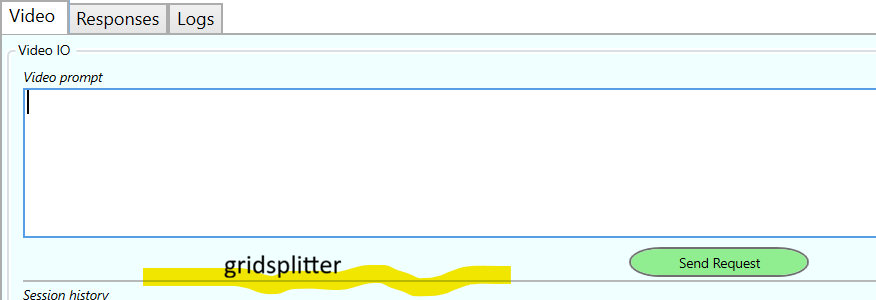
Design is important...I found out. Even if you're just making something for yourself, it's important that the design is not destructive. Using colors is actually meaningful. Look at the buttons below:
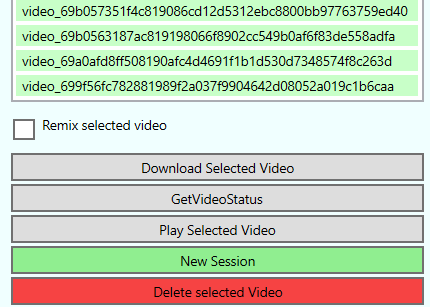
The usage of green and red is so powerful. The grey buttons are almost invisible (or maybe it's just my eyes  )...who knows...
Of course, the colors break the "color-design", but it makes it clear where "things" are. And important stuff is visible.
Again; getting back to the video-endpoint. It works very well. I do not use streaming(not sure if you can use that in the videos-endpoint) but I chose not to(easy solution). Anyways... I thought the design overall was ok. See below: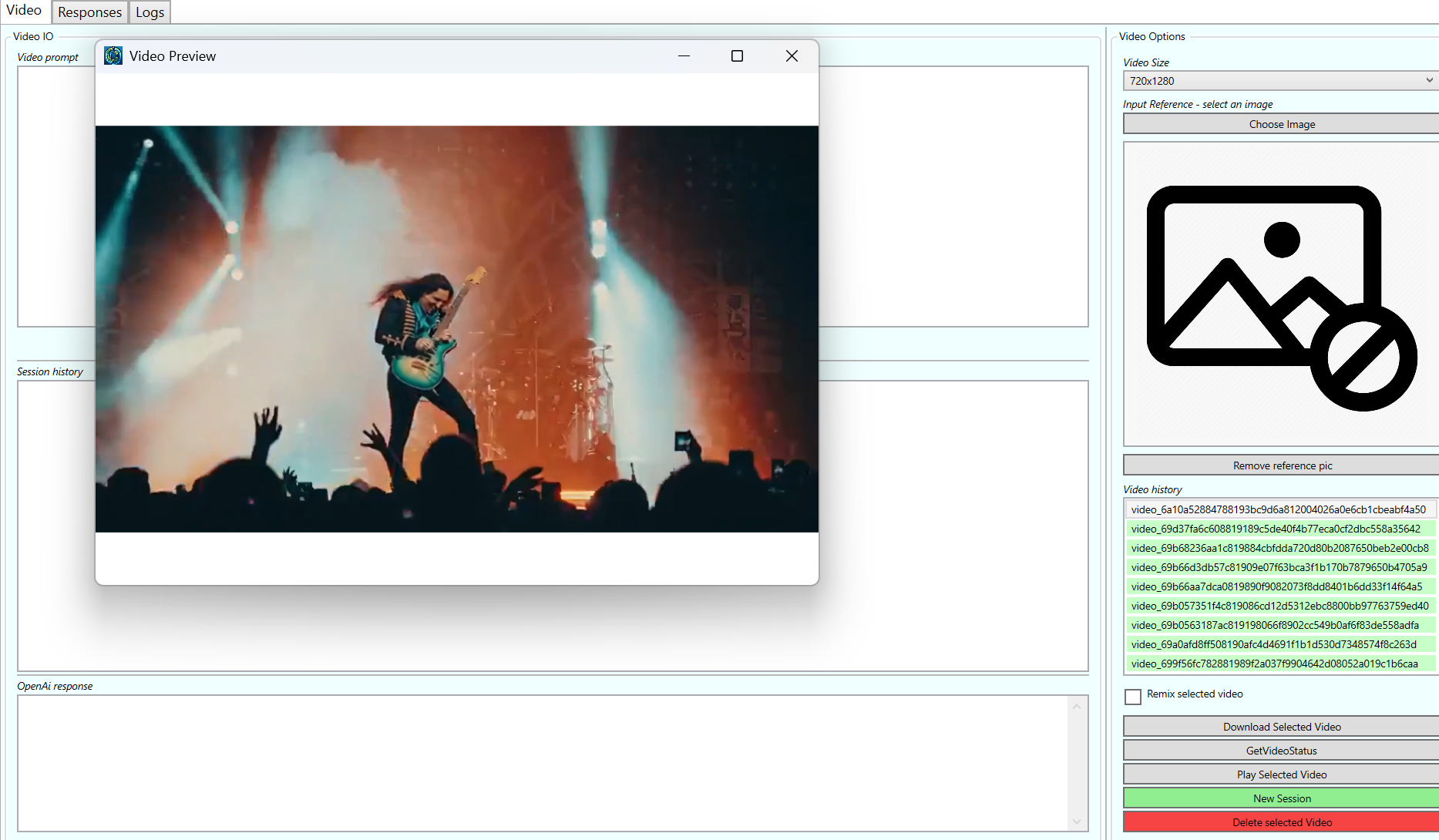
The video above was actually created through the "playground", and then my app downloaded, because for some reason it does not work now. I'm not sure why I cannot create videos anymore from my app but I have not used any resources on debugging since I got this message: "The Sora video generation models and Videos API are deprecated and will shut down on September 24, 2026. See the deprecations page for details."
It was fun as long as it lasted. You can see my source at the github: https://github.com/oopsypoo/openAIApps.git
I couldn't leave it alone. Apparently after some changes I had forgotten about a NOT NULL constraint. I rarely use the video-creation endpoint, so not everything is caught right away. Github is updated. Ok I will show how this works:
1. Create a prompt.
2. Choose video options
3. Press "Send request"
4. A progress-window will appear. The system polls for the status until it's done or something goes wrong. If unsure you can press the "GetVideoStatus". It returns a json-object containing some information.
{
  "id": "video_6a130075fc148191a95d39df55d251e40d780fa9c99a6958",
  "object": "video",
  "status": "completed",
  "progress": 100,
  "created_at": 1779630198,
  "quality": null,
  "error": null,
  "model": "sora-2",
  "size": "1280x720",
  "seconds": "8"
}
5. Mark the video in the list that's orange, and press "Download Video". A new progress window will pop up and then a MessageBox that either confirms the download.
There is a preview-window of the video. It will not automatically appear. I've forgotten to reload the list-control, so you have to pick something else before picking the current video. But it works fine. As long as you have installed "ffmpeg". It's free and it works.
private BitmapImage GetFirstFrameAsBitmap(string videoPath)
{
    string thumbPath = Path.ChangeExtension(videoPath, ".thumb.png");

    if (!File.Exists(thumbPath))
    {
        var psi = new ProcessStartInfo
        {
            FileName = "ffmpeg",
            Arguments = $"-y -i \"{videoPath}\" -frames:v 1 \"{thumbPath}\"",
            UseShellExecute = false,
            CreateNoWindow = true
        };
        using var p = Process.Start(psi);
        p.WaitForExit();
    }

    if (!File.Exists(thumbPath))
        throw new FileNotFoundException("Thumbnail not created", thumbPath);

    var bmp = new BitmapImage();
    bmp.BeginInit();
    bmp.UriSource = new Uri(thumbPath);
    bmp.CacheOption = BitmapCacheOption.OnLoad;
    bmp.EndInit();
    bmp.Freeze();
    return bmp;
}
The result is nice I think: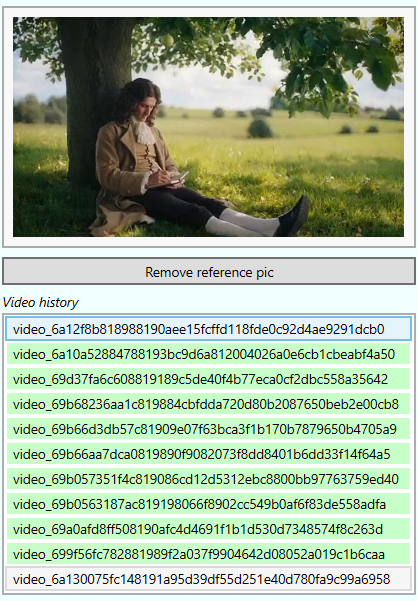
So when you navigate in the list-box you get a reminder of what this is. When the "play"-button is pressed a new windows will pop up using the control "MediaElement" and plays it in a loop.
So in conclusion: I love this freedom. Of course. It's not free, but you do not have to use a lot of money for a "heavy" graphics-card, and the waiting time for the video is much less than if I want to use a downloaded model. I'm just guessing here. So the question now is: What to do after September 24, 2026?